Loop Sequencer
A step sequencer for Drum Racks in Ableton Live.

Edit the pattern as a table
Paint the pattern
Click a step to turn it on. Drag to paint across steps. Shift-drag or scroll on a step to set its velocity. Select a block to copy, paste, duplicate, fill or delete it. Up to 24 rows and 64 steps, and the row names follow your Drum Rack.
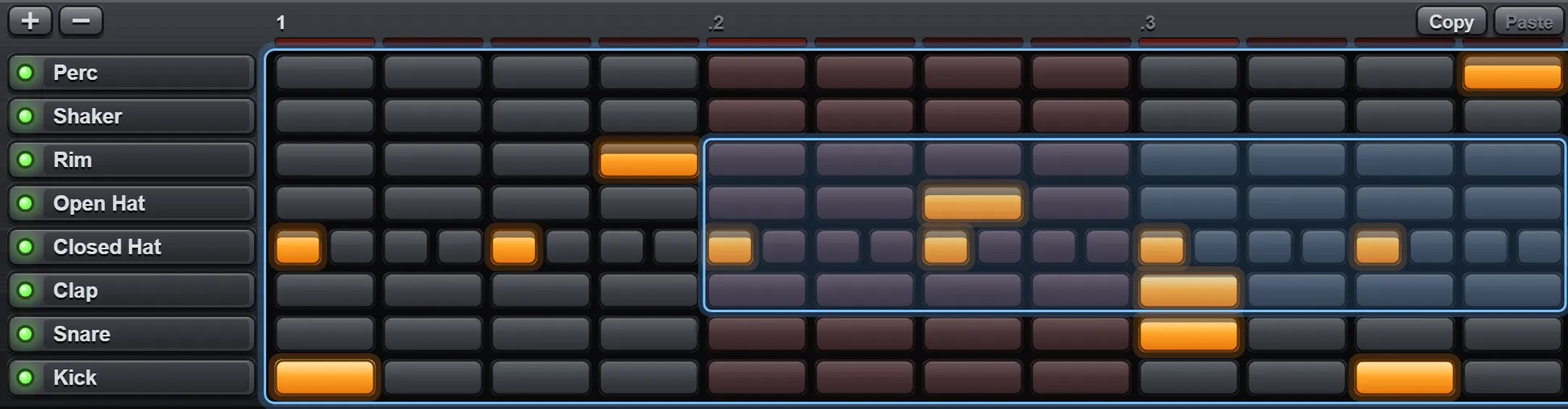
A grid for every row
Click a row’s name and press ×2. The row now plays 32nds, then 64ths. ÷2 takes it to 8ths, then quarter notes. The hits stay where they are, so a hat can roll in 64ths over a kick on quarter notes.
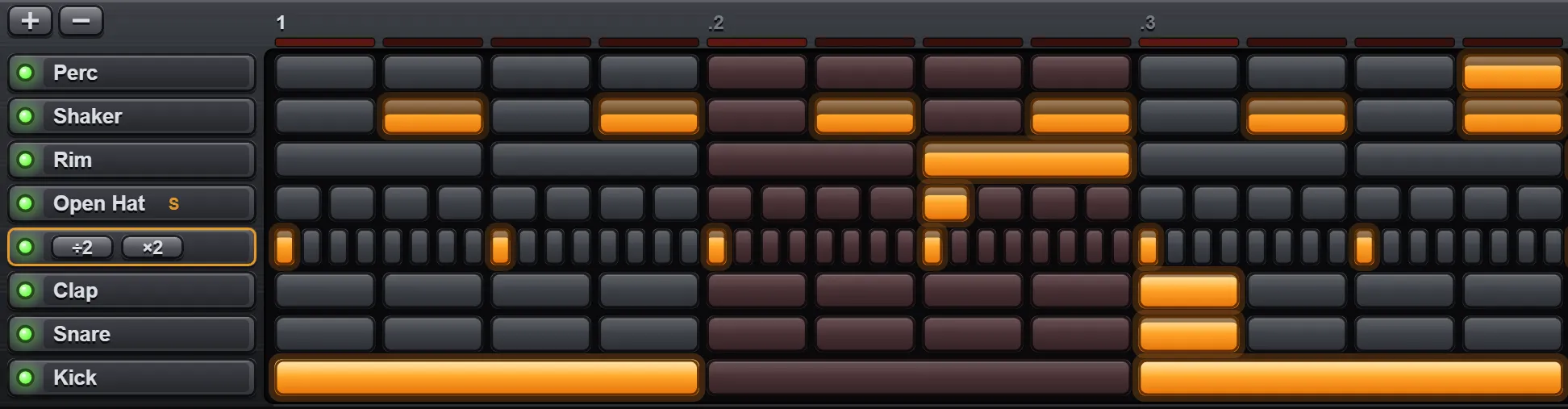
Randomize what you have not muted
RANDOM rolls every unmuted row. VARY keeps the groove and moves part of it. INVERSE flips every step. Density sets how many steps come on, Spread how much the velocities vary. Steps on the beat come up more often than steps between them, so the result reads as a pattern. Mute the kick you like and roll the rest.
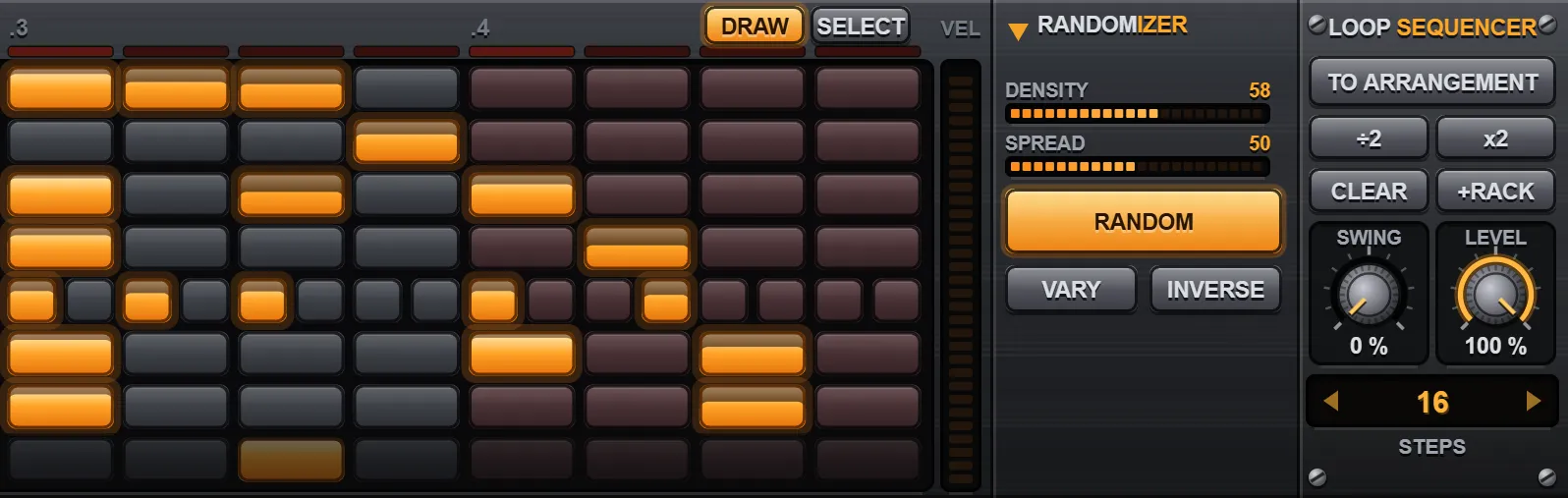
To the arrangement in one click
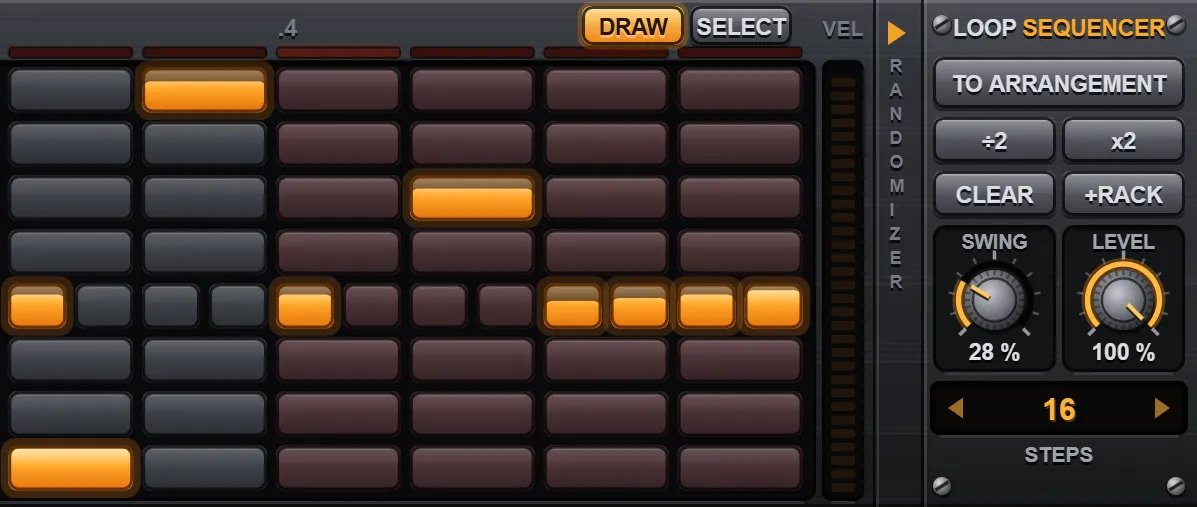
TO ARRANGEMENT writes the pattern to your track as a MIDI clip. ÷2 and ×2 halve and double the pattern length. SWING pushes the off-beats late, for every row or for one. SWING and LEVEL can be automated, and the pattern saves with your Live Set.
Shortcuts
| Ctrl+C, Ctrl+X, Ctrl+V | Copy, cut and paste the selected block. |
|---|---|
| Ctrl+D | Duplicate the block right after itself. The pattern grows to fit. |
| Ctrl+A | Select the whole pattern. |
| Ctrl+Z, Ctrl+Y | Undo and redo, 64 levels. |
| Delete | Clear the selection. |
| D, S | Draw tool and Select tool. |
| Esc | Drop the selection and let the row go. |
Requirements
- Ableton Live 12.3 or later
- Max for Live. It is part of Live Suite and an add-on for Live Standard.
- Built and tested on Windows. Not yet tested on Mac.
If it does not run on your system, write to us and you get your money back.
What you get
- Loop Sequencer.amxd, a Max for Live MIDI effect
- The manual
- Free updates to every 1.x version
- A licence for one person. The music you make with it is yours.
Questions
Which versions of Ableton Live does it work with?
Live 12.3 or later with Max for Live. Max for Live is part of Live Suite and a paid add-on for Live Standard. Live Intro and Live Lite cannot run Max for Live devices.
Live says “The device is not available in this version of Live”. Why?
That message means Max for Live is not installed. Every Max for Live device shows it on Live Intro, Live Lite, or Live Standard without the add-on, whatever the version number. If that is your setup, write to us for a refund.
Does it work on Mac?
It is built and tested on Windows and has not been tested on a Mac yet. Max for Live devices run on both, and on Mac the shortcuts use Cmd in place of Ctrl. If it does not work for you, you get a refund.
Is it like the Channel Rack in FL Studio?
It works the same way. One row per sound, and steps you click on and off. It adds a resolution and a swing amount for each row and a randomizer, and it plays whatever Drum Rack sits after it in Live.
Does it only play Drum Racks?
No. Each row sends one MIDI note, from C1 up to B3 across 24 rows, so it can play any instrument. With a Drum Rack after it, the rows take the names of the pads.
Can I turn the pattern into a clip?
Yes. TO ARRANGEMENT writes the pattern to the track as a MIDI clip at the insert marker. With a block selected it writes only that block, into the clip you have selected in Live.
Which time signatures does it support?
4/4. The pattern can be any length from 1 to 64 sixteenth-note steps, and each row can run at its own resolution from quarter notes to 64ths.
How do I get updates and help?
Updates to every 1.x version are free. Download the latest file from your Gumroad library. For help, write to hello@marmaudio.com with your Live version and operating system.
Loop Sequencer
A step sequencer for Drum Racks in Ableton Live.